

Casual Cricket
iPhone and Android beta now open

Scoring and fines for social cricket

Ball-by-ball scoring and a fines tally for the whole team, on every phone in the group. One link, no accounts, free.

PriceFREE
iPhoneBETA
AndroidBETA
WebLIVE
The pavilion scoreboard in your pocket

Everything the scorebook and the fines tin used to do

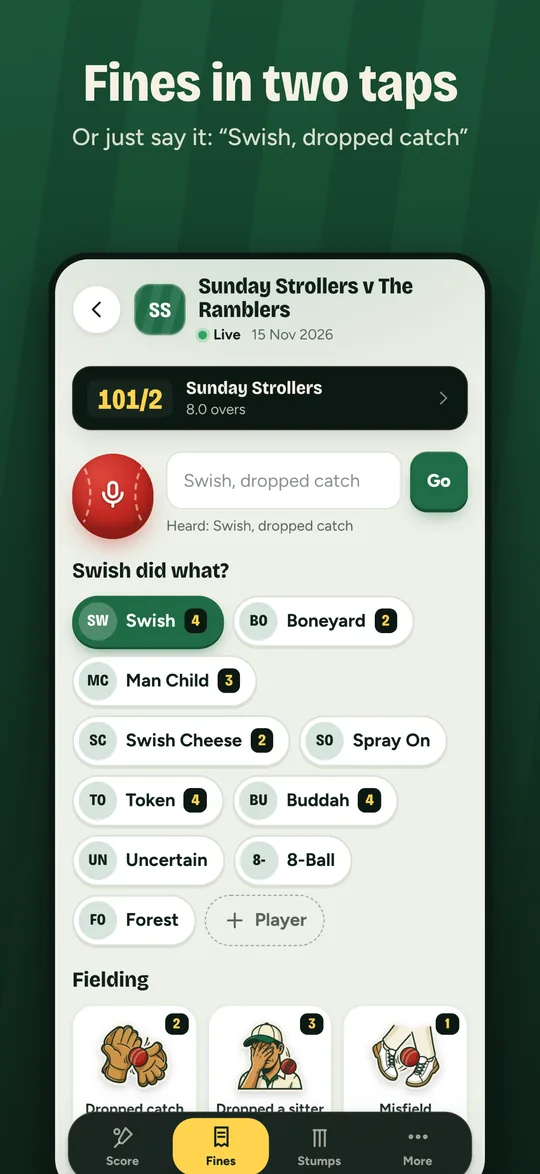
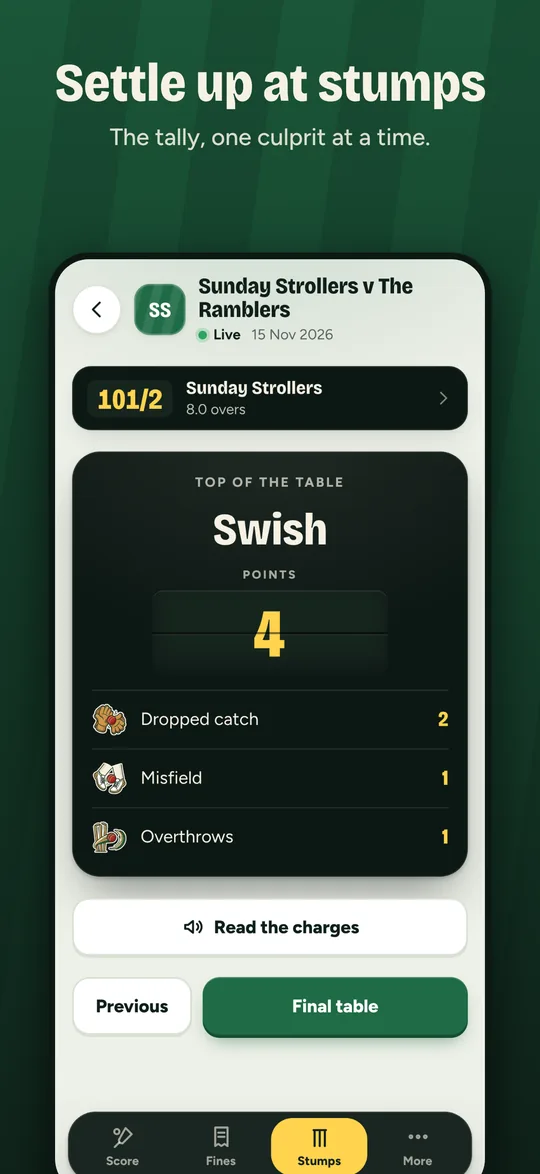
Fines in two taps

Tap a player, then a fine. Or press the red ball and say it: “Swish, dropped catch”.

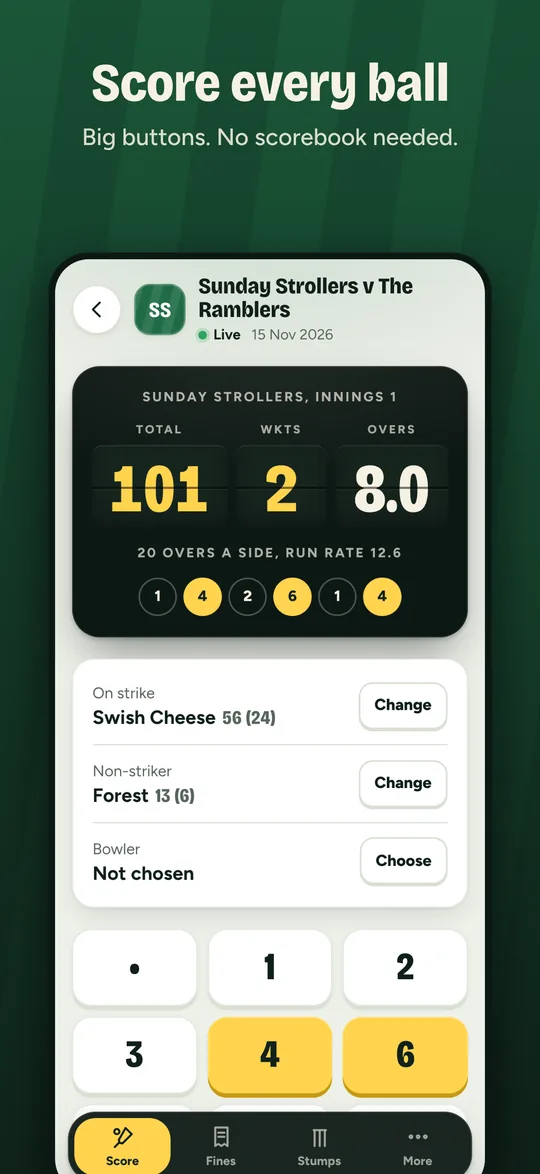
Ball-by-ball scoring

Two innings, limited overs, wides, no balls, byes, run-outs and retirements. Ducks, fifties and five-fors fine themselves.

One link for the team

Share the match link in the group chat. Everyone records into the same tally. Nobody needs an account.

Stumps

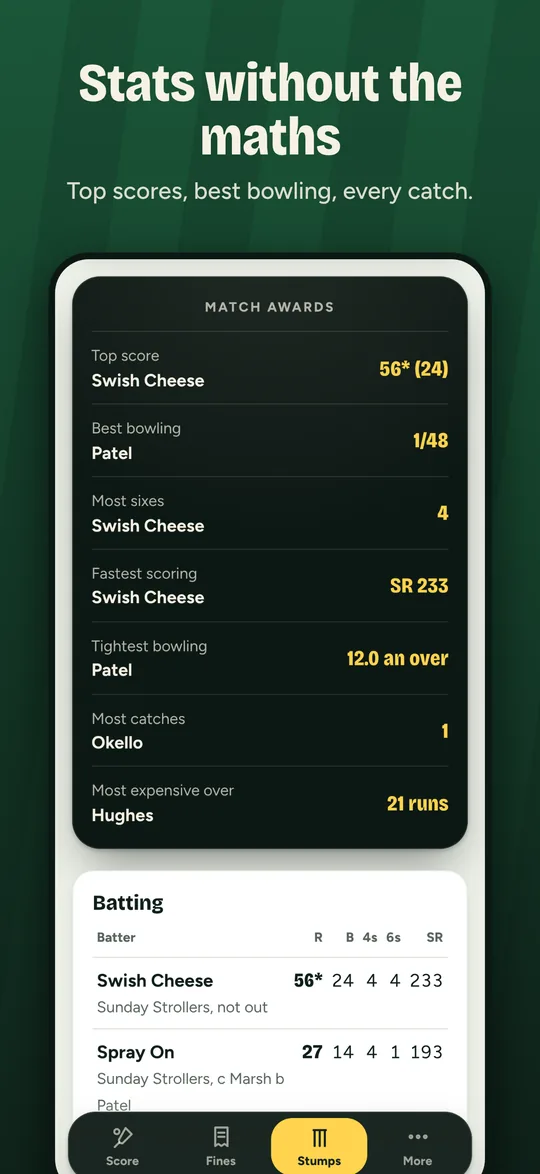
The fines table, the end-of-game ceremony one player at a time, match awards and a full scorecard.

Recording fines: tap a player, then a fine, or say it Ball-by-ball scoring Match stats and awards The end-of-game fines ceremony
Beta testing

Get Casual Cricket on your phone

The apps are in testing before they go into the App Store and Google Play. Getting in takes two minutes: send us your email, then follow the steps for your phone.

iPhone

Through Apple's TestFlight app
  1. Send us your Apple ID email

    The address you use for the App Store. Tap the button below and send the email as it is.

  2. Install TestFlight

    Apple's free app for trying apps before release. Get it from the App Store.

  3. Accept the invitation

    You'll get an email from TestFlight. Open it on your iPhone, tap View in TestFlight, then Accept and Install.

  4. Play

    Casual Cricket appears on your home screen. New versions arrive through TestFlight.

TestFlight needs iOS 16 or later.

Android

Through Google Play testing
  1. Send us your Google account email

    The Gmail address signed in to Google Play on your phone. Tap the button below and send the email as it is.

  2. Wait for our reply

    We add you to the tester list and email you back.

  3. Open the tester link on your phone

    Signed in to that same Google account, tap Join the Android beta below, then Accept invite.

  4. Install from Google Play

    Tap Download it on Google Play, then Install. While in testing it may show as ke.novainsight.casualcricket. Updates come through Play as usual.

Android 7.0 or later. The link only works once we've added your email.

Can't wait? Use it in your browser

Casual Cricket works in Safari and Chrome right now, on the same matches as the phone apps. To keep it on your home screen: on iPhone tap Share, then Add to Home Screen; on Android open the menu and tap Install app or Add to Home screen.

Open Casual Cricket

Found a bug or something confusing? Tell us at hello@novainsight.ke. On iPhone you can also take a screenshot and share it from TestFlight.

Questions

Does it cost anything?

No. Casual Cricket is free, with no adverts and no payments in the app.

Does everyone in the team need the app?

No. Whoever starts the match shares a link or an 8-character code. Teammates can open it in the phone app or in their browser and all record into the same match.

What if there's no signal at the ground?

Keep recording. Fines and balls are saved on your phone and sent when the signal comes back. Photos need a signal.

Can we use our own fines?

Yes. A team admin can change what every fine is worth, add the team's own, hide the ones you don't use and rename the unit.

More help

See the help page, or email hello@novainsight.ke.